🧩 Kids Sudoku ⭐
🏆 Kids Profile
(Kept separate from Global Leaderboards)
WOW!
You are a Super Solver!
You earned a new sticker!
+10 XP
Play Easy Sudoku for Kids Online
Learning math and logic has never been this fun! Play simple, colorful grids designed specifically for younger minds. Earn XP, collect digital stickers, and level up your brain.
🧠 Why Sudoku Puzzles for Kids?
Introducing children to logic games early is one of the best ways to develop their spatial reasoning and problem-solving skills. You can read more about the history and cognitive benefits of the game on the official Sudoku Wikipedia page. However, a massive 9×9 grid full of blank numbers can be overwhelming. That is exactly why we built a dedicated sudoku for kids mode!
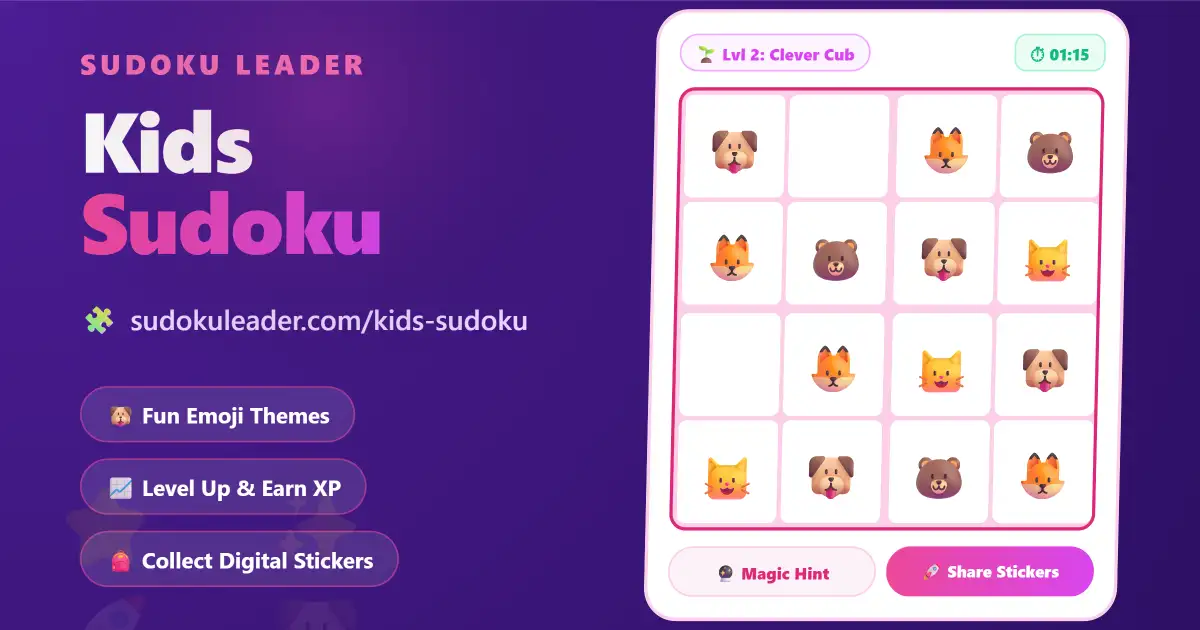
Instead of standard numbers, children can choose to play with playful emojis. Our platform features easy sudoku for kids that scales perfectly to their age level. They can start with a tiny 4×4 grid and slowly work working their way up to a 6×6 grid as they build confidence.
🎯 How to Play Sudoku for Kids
If your child is asking how to do mathematical puzzle and sudoku for kids, the rules are incredibly simple and easy to teach:
- Pick a Theme: Use the dropdown menu to choose between Animals 🐶, Fruits 🍎, Ocean 🌊, Numbers 1️⃣, or even learn how to play space sudoku for kids by selecting the Rocket 🚀 theme!
- The Golden Rule: Look at the grid. Every row (going across) and every column (going down) must have exactly one of each picture. No repeating allowed!
- The Mini-Boxes: The board is also divided into smaller mini-boxes (2×2 squares). Each of these little boxes must also contain one of every picture.
- Earn Rewards: Every time your child solves a puzzle, they earn Experience Points (XP) to level up their profile, and they win a new digital sticker to add to their Sticker Book!
🕹️ A Magical Learning Interface
We designed our simple sudoku for kids to be highly encouraging. The app uses positive reinforcement to keep children engaged while they learn:
Sparkle Animations
Every time your child places a correct answer, the cell plays a satisfying popping sound and shoots out magical stars to let them know they are on the right track!
The Magic Wand (Hint)
Stuck on a tricky spot? Kids can tap the Magic Hint button to safely reveal the correct picture without feeling frustrated or overwhelmed.
The Sticker Shelf
Completing a puzzle grants a random sticker. If they solve multiple puzzles in a row without making mistakes, they have a chance to unlock Ultra Rare legendary stickers!
🌟 Parent Dashboard & Cloud Save
Parents can easily click the “Parent Dashboard” button to view a detailed breakdown of their child’s progress. You can see exactly how many puzzles they’ve solved and how much their times are improving. You can even sign in with a free account to back up their Sticker Book to the cloud so they never lose their progress on different devices!
🖨️ Want to Practice on Paper?
Screen time is great, but physical practice is just as important. If you want to print out fun, easy logic games for a road trip or classroom activity, check out our completely free Printable Sudoku Generator to make custom paper puzzles.